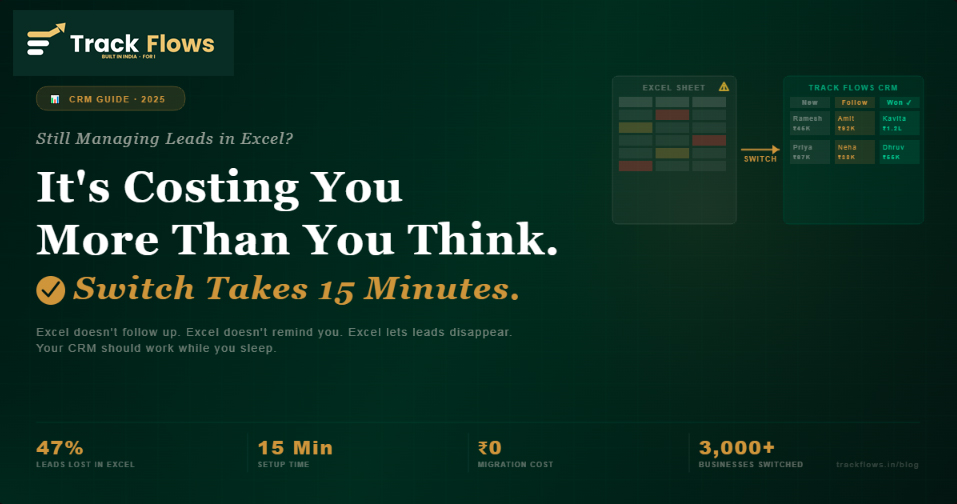
Let me guess your current system: a Google Sheet or Excel file with columns like "Lead Name," "Phone," "Status," and maybe a "Follow-up Date" column that nobody updates. Sound familiar? You're not alone, and you're not wrong to wonder if there's a better way.
There is. And making the switch is far easier, and cheaper, than you think.
In this article, I'll break down exactly why Excel fails at sales tracking, what a proper CRM does differently, and how Indian businesses on Track Flows are converting more leads with zero extra effort.
Excel Is a Great Tool, Just Not for Sales
To be fair to Excel: it's brilliant for financial modeling, inventory counts, and reporting. But sales lead management requires something entirely different. It requires action, reminders, assignments, pipelines, and history.
Here's what Excel simply cannot do:
- Remind you to follow up with a specific lead at a specific time
- Show you visually where each deal is in the pipeline
- Alert your team when a lead hasn't been contacted in 3 days
- Log call history so anyone on the team can pick up where you left off
- Calculate conversion rates by source, product, or salesperson
An Excel lead sheet is a to-do list that doesn't nag you. And in sales, things that don't nag you get forgotten. Leads that get forgotten go to your competitor.
The Real Cost of Running Sales on Excel
The biggest illusion of Excel is that it's "free." But the actual cost shows up not in your software bill, it shows up in your revenue.
Industry data consistently shows that 47% of sales leads are lost due to poor follow-up alone: not because the product was bad or the price was wrong, but simply because no one called back in time.
Here's a concrete example. If your business receives 60 leads a month and your average deal is ₹25,000, losing 47% of those leads costs you:
- 60 leads × 47% lost = 28 leads dropped per month
- 28 leads × ₹25,000 = ₹7,00,000 per month in missed revenue
- That's ₹84 lakhs per year: lost to a spreadsheet that doesn't follow up
The businesses that realise this aren't switching to CRM because it's trendy. They're switching because the math is obvious.
What a CRM Does That Excel Never Can
A CRM, Customer Relationship Management software, is built from the ground up to solve the exact problems that kill sales in Excel. Here's the direct comparison:
| What You Need | ❌ Excel | ✓ Track Flows CRM |
|---|---|---|
| Visual pipeline | Rows in a sheet, no stage view | Kanban: New → Contact → Negotiate → Won |
| Follow-up reminders | Manual calendar entry, easy to forget | Automatic alert on the set date, every time |
| Team collaboration | Email file back and forth; version chaos | Real-time, multi-user, each lead assigned |
| Call & note history | No log, relies on memory | Full timeline: calls, notes, emails per lead |
| Conversion reports | Manual pivot tables (takes hours) | Live dashboard, by source, team, product |
| Cost per month | ₹0 software, ₹7 lakh+ in lost revenue | From ₹499/month, saves 100× in closed deals |
5 Myths That Keep SMBs Stuck in Excel
Myth 1: "My team is comfortable with Excel, changing will slow us down."
Track Flows has a simpler interface than Excel for sales tracking. If your team can use WhatsApp, they can use Track Flows. Most teams are fully comfortable within 2 days, not weeks.
Myth 2: "CRM software is too expensive for a small business."
Track Flows starts at ₹499/month. If it helps you close even 1 extra deal per month (₹10,000+), it pays for itself 20× over. The real cost is the leads you lose staying in Excel.
Myth 3: "We'll lose all our existing data if we switch."
Track Flows has a one-click Excel/CSV Bulk Upload. Your entire lead database, names, numbers, statuses, deal values, migrates in minutes. Zero data loss.
Myth 4: "I don't have time to set up a new system."
The initial setup, import data, create pipeline stages, add team members, takes under 15 minutes. You don't need an IT consultant or a weekend implementation project.
Myth 5: "We only have 2–3 salespeople. CRM is for big teams."
Solo founders and 2-person teams benefit most from a CRM, because there's no one else to catch what you forget. A CRM is a memory system for your entire sales process, not just a team collaboration tool.
How to Switch from Excel to Track Flows, Step by Step
You do not need to "plan a migration." Here's the actual process:
- Export your Excel as CSV. In Excel: File → Save As → CSV. If your leads are in Google Sheets: File → Download → CSV.
- Sign up for the Track Flows free trial. 2-minute signup at trackflows.in. No credit card. 15 days of full access start immediately.
- Use Bulk Upload to import your leads. Go to Bulk Upload → select your CSV → map your columns. Track Flows imports everything in seconds. New master entries (lead sources, stages) are created automatically.
- Set up your pipeline stages. Customize stage names to match your process: New → Contacted → Proposal Sent → Negotiating → Won / Lost. Takes 3 minutes.
- Set follow-up dates on your hot leads. Open your 10 hottest leads. Set a follow-up date on each one. From this point on, Track Flows reminds you, not the other way around.
- Invite your sales team. Add team members and assign leads. Everyone works from the same pipeline, no email threads, no version conflicts.
After Day 1: your full lead database is in Track Flows. Follow-ups are set. Your team is in. Excel is now optional, you'll stop needing it within the first week.
What Happens After You Switch
Follow-up Rate Goes to Near 100%
When a system reminds you every morning what to follow up on, you follow up. The leads that would have "fallen through the cracks" in Excel now get called, and many of them close.
Team Accountability Without Micromanagement
Every call, every note, every stage change is logged. As a manager, you see exactly where each lead is and who last touched it. No need for daily status meetings. The pipeline is the status meeting.
You Know Which Lead Source Actually Converts
In Excel, you might know how many leads came from Facebook. In Track Flows, you know how many of those leads converted, and at what average deal value. This one insight typically shifts where businesses spend their marketing budget within the first month.
Conclusion
Excel is not a CRM. It never was. It was designed to organise numbers, not to follow up on people, not to remind you of deadlines, and not to give your sales team visibility into a shared pipeline.
If you're managing leads in Excel today, you're not failing because you're disorganised. You're failing because the tool doesn't fit the job. Switching to a CRM isn't about adding complexity, it's about removing the mental overhead that Excel forces on you every single day.
The switch takes 15 minutes. The results show up in the first week.
Start Free Trial, No Credit Card
15 days full access · Import Excel in 1 click · Cancel anytime
Leave a Comment